
Make beats together with your friends
Send a link and produce in the same studio at the same time. Like Google Docs, but for music — layer instruments, edit drum patterns, and hear every change with zero delay.
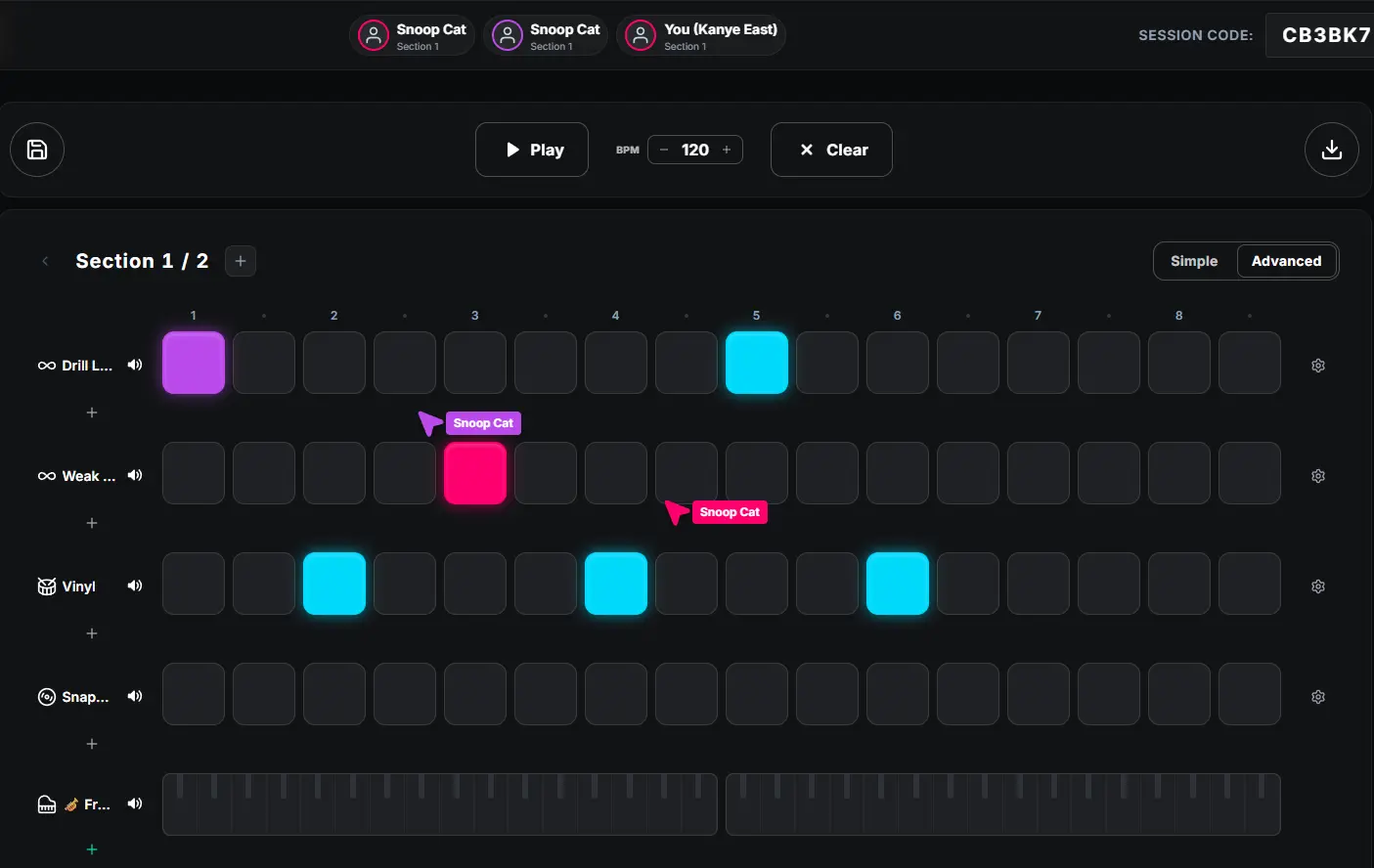
How it works
Collaboration runs on a shared room. One person opens a session, everyone else joins through a link, and from that moment you are all editing the exact same beat.
Create a room
Click "Start a session" to spin up a new room. You get a short room code and a shareable link straight away — nothing to install.
Invite your friends
Send the link or room code to anyone. They open it in their browser and land directly inside your beat, ready to play.
Build the beat together
Every click is shared live. One person lays down drums while another adds a bassline or melody, and you all hear the track grow at the same time.
Export and share
When the groove is right, export the finished beat as audio. Drop it into your DAW or share it with the world.
What you get
Live, low-latency sync so everyone hears the same beat at the same moment.
No accounts, no installs — friends join from a single link.
Shared sound library with 400+ sounds, loops, and melodies.
Works on laptops and phones, anywhere with a browser.
Switch between Simple and Advanced views to match each producer’s level.
Export the final beat to audio whenever you are ready.
Frequently asked questions
- How many people can produce together at once?
- You can invite several friends into the same room. Everyone shares one beat grid and every change syncs live, so the whole group hears the track update in real time.
- Do my friends need an account to join?
- No. Anyone you send the room link to can jump straight in from their browser — no download and no signup required.
- Will we hear each other’s changes instantly?
- Yes. Placing a drum hit, changing the BPM, or loading a melody updates for everyone in the session within a fraction of a second, like a shared instrument.
- Can I keep the beat after everyone leaves?
- Yes. The beat lives in the room, and you can export it as audio at any time to keep working in your own DAW.